
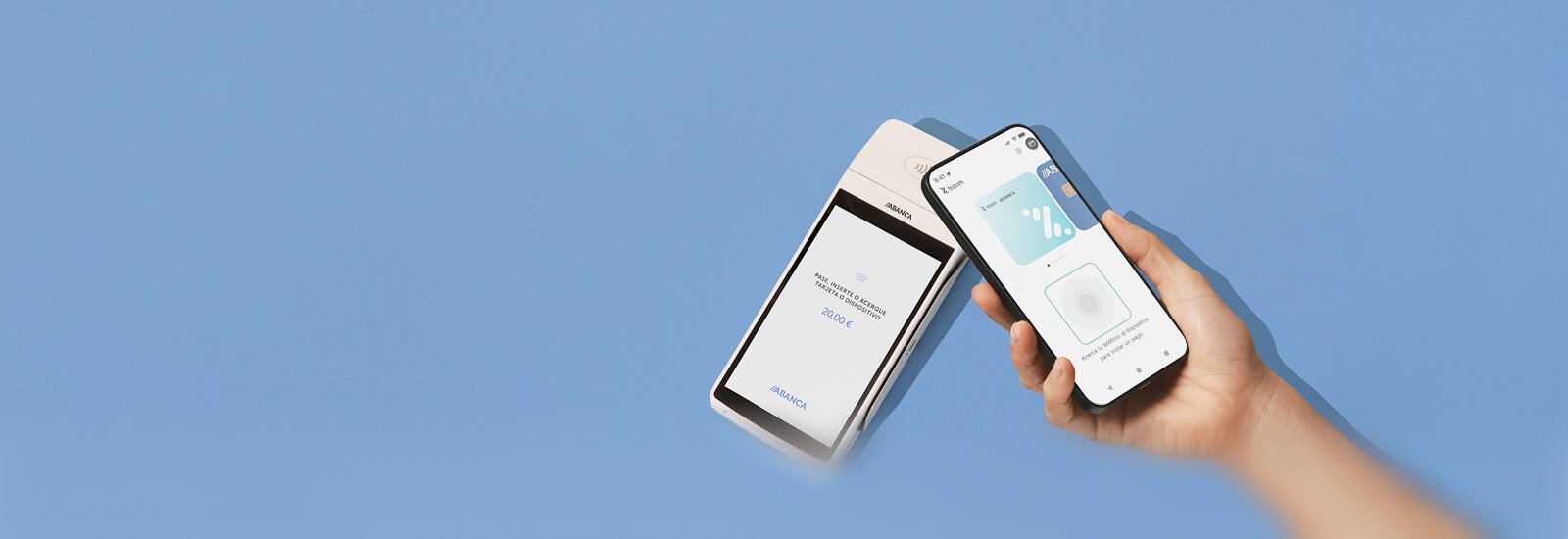
Activate Bizum Pay
Discover the new Bizum app
With Bizum Pay, you can choose to pay with Bizum (directly charged to your account) or with your cards at any physical store.
How to activate and start using Bizum Pay?

Activate Bizum Pay

Default payment app

Use Bizum Pay
You're going to love Bizum Pay
- Choose how to pay for your daily purchases: with Bizum, directly from your account, or with your usual cards. Instantly, with your mobile.
- Pay in physical stores: to pay, unlock your Android or double-click the side button on your iPhone and bring it close to the POS terminal.
- Everything under control: remember that from ABANCA's mobile banking you can always review your latest purchases.

Do you have questions? We have answers
Questions
Para efectuar una donación deberás acceder a la opción de ‘Enviar Dinero’ > ‘Bizum’ y ‘Hacer donativo’. A continuación, deberás seleccionar la ONG a la que quieras hacer el donativo e introducir el importe deseado.
El límite máximo por operación es de 500 euros y el límite diario de 1.000 euros, sin comisiones y efectuando la donación al momento.
Para obtener el certificado de una donación hecha a través de la opción de Bizum, de la app de ABANCA, deberás ponerte en contacto con la ONG y facilitarle los siguientes datos:
- Nombre y apellidos
- DNI
- Dirección postal
- Correo electrónico
- Importe donado
- Fecha de la donación
Puedes consultar el email de contacto de la ONG en la web de BizumYou will be redirected to another website.
Las operaciones con Samsung Wallet se procesan en dos fases.
La primera fase es la autorización, que genera el bloqueo del importe correspondiente en tu cuenta o tarjeta. La segunda fase es la liquidación, que se produce unos días más tarde. Ese el momento en que se hace efectivo el cargo en tu cuenta o tarjeta, y la razón por la que tarda varios días en aparecer en tus movimientos.
Samsung WalletIt will open in a new window es una solución de última generación con la que puedes realizar transacciones de manera sencilla y segura en comercios, además de gestionar llaves, documentos de identidad. Con Samsung Pay podrás pagar tanto en Internet como off-line. Para ello solo tienes que acercar el dispositivo móvil compatible al terminal de punto de venta (TPV) contactless. Durante el proceso para asociar una tarjeta a tu servicio de Samsung Pay es necesario que el móvil tenga cobertura de datos y acceso a la red telefónica para recibir SMS. Una vez finalizado el proceso de enrolamiento (asociación de la tarjeta) para realizar un pago con Samsung Wallet no es necesario tener conexión de datos ni wifi activado.
Los dispositivos Samsung compatibles tienen instalada la aplicación de Samsung WalletIt will open in a new window, aunque en algunos casos puede ser necesaria una actualización del software del móvil.
No, no puede. Samsung WalletIt will open in a new window protege tus pagos con tres capas de seguridad. Los datos codificados de la tarjeta se almacenan en el elemento seguro y nunca se comparten con el establecimiento, ni los bancarios ni tus contactos.
Puedes asociar a Samsung WalletIt will open in a new window cualquier tarjeta Visa o Mastercard de ABANCA. No son compatibles las tarjetas prepago ni la tarjeta comercio.
No te preocupes, porque nadie puede hacer pagos ni acceder a tu información bancaria sin la huella o el PIN de tu Samsung Wallet. Para aumentar la seguridad, el servicio Find My Mobile de Samsung permite bloquear o borrar Samsung Wallet y sus tarjetas de pago.
La imagen de la tarjeta que se ha generado para el servicio Samsung WalletIt will open in a new window es un diseño estándar, por lo que es posible que no coincida exactamente con la tarjeta física. Comprueba únicamente que coincidan los últimos cuatro dígitos que aparecen en la imagen con los de tu tarjeta física.
El diseño de la tarjeta en el Wallet y la de plástico no siempre coinciden.
Los últimos cuatro dígitos de la tarjeta en el Wallet siempre coincidirán con los últimos cuatro dígitos de la tarjeta de plástico.
- Doce tarjetas diferentes en iPhone XS, iPhone XR, iPhone X, iPhone 8, iPhone 8 Plus y Apple Watch Series 3.
- Ocho tarjetas diferentes en los demas dispositivos. Una misma tarjeta puede ser añadida en distintos dispositivos.
- Pases (p.ej. entradas para conciertos) son independientes de las tarjetas y no cuentan para el límite de ocho tarjetas.
Depende de la red, pero podría ser hasta tres años después de la fecha de vencimiento de la tarjeta.
Apple Pay no está habilitado en iPads educativos o si la cuenta de iCloud pertenece a un menor de 13 años.
Algunos TPV pueden no estar configurados correctamente para utilizar Apple Pay.
Lo habitual será que no tengas que teclear tu PIN pero en algunos países y regiones es necesario introducirlo cuando el importe de la transacción realizada con Apple Pay supera cierta cantidad. En algunos casos, puede que debas firmar un recibo o utilizar un método diferente de pago.
Los clientes deben esperar a que la marca de verificación en el dispositivo indique que la operación ha sido completada.
Si se rechaza una transacción de Apple Pay, informe al cliente que consulte con su banco. La marca de verificación durante el pago solo indica que los datos se han transferido desde el teléfono al terminal, no que la transacción haya sido aprobada.
Cualquier persona que tenga registrada su huella o su cara en un dispositivo, o conozca su código de desbloqueo, podrá autorizar transacciones con las tarjetas activadas en Apple Pay en dicho dispositivo. Si no quieres que nadie más pague con tu dispositivo, debes borrar sus huellas o su cara del mismo y asegurarte de que nadie conoce su código de desbloqueo.
Las operaciones con Apple Pay se procesan en dos fases.
La primera fase es la autorización, que genera el bloqueo del importe correspondiente en tu cuenta o tarjeta. La segunda fase es la liquidación, que se produce unos días más tarde. Ese el momento en que se hace efectivo el cargo en tu cuenta o tarjeta, y la razón por la que tarda varios días en aparecer en tus movimientos.
Las operaciones con Google Pay se procesan en dos fases.
La primera fase es la autorización, que genera el bloqueo del importe correspondiente en tu cuenta o tarjeta. La segunda fase es la liquidación, que se produce unos días más tarde. Ese es el momento en que se hace efectivo el cargo en tu cuenta o tarjeta, y la razón por la que tarda varios días en aparecer en tus movimientos.
¡Es muy sencillo! Solo tienes que seguir estos pasos desde tu banca móvil.
1. Entra en la app y ve a ‘Menú’ > ‘Personaliza tu app’ > ‘Bizum’.
2. Confirma tu número de móvil y elige la cuenta bancaria donde quieres recibir y enviar el dinero.
3. Acepta las condiciones de uso, ¡y listo!
¿Y si ya tienes Bizum con otro banco? No te preocupes, nosotros nos encargamos del cambio. Sigue los pasos que te hemos indicado y durante el proceso recibirás un SMS de Bizum con un código que deberás introducir para confirmar el cambio de entidad. Una vez confirmado el cambio con este código, ya puedes enviar y recibir Bizum en ABANCA con normalidad. Consulta más información en la web de Bizum.You will be redirected to another website
Sí, puedes utilizar este método de pago para tus compras a través de Internet. Podrás realizar pagos en aquellos ecommerce dados de alta en el servicio eligiendo Bizum como opción de pago. Te enviaremos una notificación a la Banca Móvil para validar la compra de forma rápida, cómoda y segura.
El servicio Pagar más tarde te permite recuperar en tu cuenta el dinero de los gastos que has pagado y devolverlo al ritmo que mejor te convenga. Para ello necesitarás tener una tarjeta de crédito ABANCA y tu app de banca móvil. Te contamos cómo hacerlo.
- Abre tu app y accede a la cuenta en la que quieres disponer del dinero
- Haz clic en Operar > Pagar más tarde y selecciona la tarjeta de crédito de donde sacar los fondos. También podrás acceder haciendo clic en el banner que verás en los movimientos de la cuenta.
- Elige el importe que quieres reponer, que dependerá del disponible en la tarjeta de crédito, y la modalidad de pago: a plazos, revolving cuota fija o fin de mes.
- Revisa que todo está correcto, ¡y listo! Ya tendrás el dinero en tu cuenta de forma instantánea.
Si te interesa este servicio y todavía no dispones de una tarjeta de crédito, puedes contratarla en tu app de ABANCA desde el menú de Tarjetas.
Sí, puedes cambiar el importe de la cuota mensual de tu tarjeta de crédito revolving. Te explicamos cómo hacerlo.
- En tu app, en el menú de Tarjetas selecciona la tarjeta que quieres modificar. Haz clic en Más > Personalizar y en la sección Forma de pago haz clic en Modificar. En cada forma de pago podrás seleccionar y modificar la cuota.
- En el servicio banca telefónica y con tus claves. Solo tienes que llamar al 981 17 96 00 (o al 0034 981 17 96 00 si estás en el extranjero) y solicitarlo.
- En tu oficina ABANCA más cercana.
Consulta más información sobre las formas de pago de las tarjetas de crédito de ABANCA.
La aplicación ABANCA Pay deja de estar disponible el 1 de septiembre de 2025. Para seguir disfrutando del pago con el móvil, podrás usar Google Pay, Apple Pay o Samsung Pay, que son compatibles con todas tus tarjetas de ABANCA.
Si quieres tener bajo control tus compras aplazadas o fraccionadas, puedes consultarlas fácilmente desde tu banca móvil. Solo tienes que entrar en la app de ABANCA y, según el tipo de tarjeta que utilices, verás la información en la sección "Aplaza tus compras" o directamente en tus movimientos, revisando la forma de pago de cada operación.
Si prefieres que te lo contemos nosotros, llámanos al 981 910 522. Tienes todos los detalles en nuestra web.
Descubre el primer paso para el futuro de los pagos.
La principal diferencia radica en la naturaleza de Bizum. Como servicio ofrecido por los bancos, no solo disfrutas de la comodidad de realizar pagos inmediatos, sino que también te brinda una tranquilidad incomparable al saber que estás protegido por los más altos estándares de seguridad y privacidad.
Además, es la única solución que te permite pagar directamente desde tu cuenta bancaria, asociada a Bizum. Al darte de alta en Bizum Pay, podrás empezar a realizar pagos inmediatamente, sin necesidad de añadir más métodos de pago o realizar otras configuraciones.
Si prefieres añadir más métodos de pago, puedes hacerlo de forma ilimitada. Establece tu método de pago principal y uno de respaldo y olvídate de cualquier tipo de problema a la hora de pagar.
En un par de minutos lo tendrá configurado.
Descarga la aplicación de Bizum Pay desde la tienda de aplicaciones de tu dispositivo: Play Store de Google o App Store de Apple.
Abre la app Bizum Pay e introduce tu número de teléfono registrado en Bizum. Te redirigiremos a la aplicación de tu banco para poder completar el proceso de activación. Una vez activado, ya podrás empezar a pagar desde cuenta con Bizum.
Si lo prefieres, también puedes hacer el proceso completo desde la aplicación de tu banco. Busca el apartado Bizum Pay desde el área de Bizum de tu app bancaria y sigue las instrucciones para completar la activación.
No, para poder descargar y utilizar Bizum Pay necesitas registrarte antes en Bizum. Puedes hacerlo de manera rápida y sencilla desde la app de tu banco, para no perderte ninguna de nuestras funcionalidades de pago.
¡Sí! Las que quieras.
Con Bizum Pay, a diferencia de otras carteras o wallets digitales, puedes añadir todas las tarjetas de crédito y de débito que quieras, siempre que pertenezcan a una entidad que ofrezca Bizum Pay. Es decir, es una cartera multibanco.
Actualmente, se pueden añadir todo tipo de tarjetas, tanto de crédito como de débito, emitidas por Visa o MasterCard, de las entidades que participan en la iniciativa. Para hacerlo, busca la opción “Añadir a Bizum Pay,” en el menú de opciones de tu tarjeta de tu app bancaria, o selecciona la opción de “Añadir nueva tarjeta” directamente desde Bizum Pay.
¡Esa es fácil! Desbloquea tu móvil Android o haz doble pulsación lateral en tu iPhone y acércalo al datáfono o dispositivo de pago del comercio. Automáticamente, se abrirá Bizum Pay y ¡ya está! Verás una confirmación del pago.
Si quieres pagar con un método de pago distinto del principal, abre la aplicación de Bizum Pay antes del pago y elige el que prefieras. Acerca el móvil al dispositivo y ¡listo!
Nada, si Bizum Pay permite establecer un método de pago de respaldo o alternativo para que, en el caso de que un comercio no acepte el pago con Bizum o te encuentres fuera de España, puedas pagar sin ningún tipo de problema y sin necesidad de cambiar manualmente a otro medio de pago. En caso de seleccionar una tarjeta como método de pago principal, el pago funcionará igual que con el resto de las carteras digitales del mercado.
Sí, Bizum Pay te permite pagar en cualquier país del mundo. Para asegurar que puedes seguir pagando cuando viajes, asegúrate de que configuras un método de pago alternativo a Bizum desde tu menú de ajustes o desde el detalle de Bizum como método de pago.
La experiencia es exactamente igual, si se configura como cartera o wallet por defecto del móvil. En el caso de Android, desbloqueando el móvil y, en el caso de Apple, pulsando dos veces en el lateral y acercan el móvil al datáfono o TPV.